Send as your alias from Zoho Mail
Add your alias to Zoho Mail as an external From address on Mailyoto's SMTP server, confirm it, and pick it when you write.
Pro or Max plan Updated 31 October 2026
When you finish, Zoho Mail sends as your alias, such as amina@lunavera.com, through Mailyoto.
Settings for Zoho Mail#
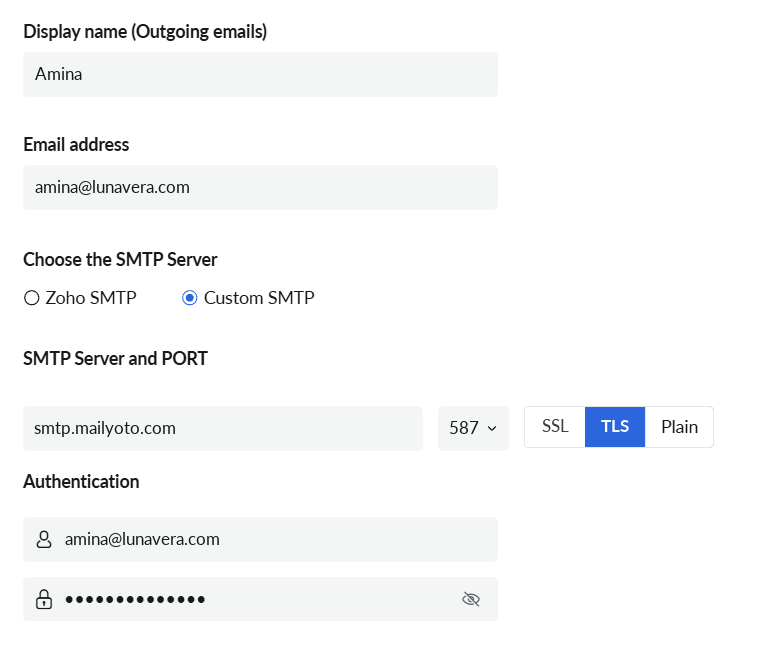
- Display name
- Your name
- Email address
- amina@lunavera.com
- SMTP Server
- smtp.mailyoto.com
- Port
- 587
- Security
- TLS, which in this form means STARTTLS on port 587
- Username
- amina@lunavera.com
- Password
- Your credential's password
Before you start
- A Zoho Mail inbox that your alias forwards to.
- A credential on your domain and its password (create one).
-
Add an external From address#
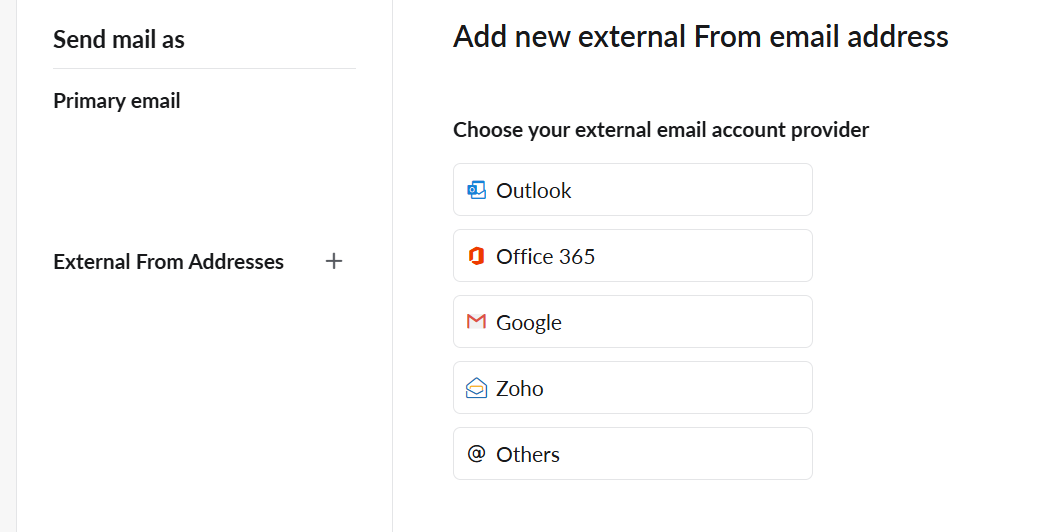
In Zoho Mail, open Settings → Send mail as. Next to External From Addresses, choose +, then choose Others as the provider.
-
Enter Mailyoto’s server#
Choose Custom SMTP, fill in the form from the settings, then save.
-
Confirm the address#
Zoho sends a confirmation email to your alias. Mailyoto forwards it to your inbox. Open it and follow its instructions.
Check that it worked#
Write a message from your alias to someone at another provider, such as diego@harborpine.net.
The recipient sees your alias as the sender.
The message appears in your domain’s Usage and logs tab when you choose Sent under Type.
The confirmation email doesn't arrive
Check that the alias forwards to the inbox you’re looking in. Search your domain’s Usage and logs tab for the alias to see whether Mailyoto received and forwarded it.
Zoho can't connect to the server
Choose port 587 with TLS. If you choose SSL, change the port to 465.
Zoho says the sign-in failed
Use your full alias as the username and your credential’s password, not your Zoho password.