Close your account
End your subscription and remove your domains, aliases and logs, once your email has moved elsewhere.
Updated 27 October 2026
Deleting your account stops forwarding for every domain on it and removes your data. Support can reopen it within 24 hours.
Before you start
- Your MX records point somewhere else for any domain that should keep receiving email. Until they do, email to those domains bounces.
- Your password, if your account has one.
- Your authenticator app, if two-factor authentication is on.
Important
Deleting the account also cancels a paid plan at once. Mailyoto doesn’t refund the current billing period. To keep the paid features until the period ends, cancel the subscription first, and delete the account after that.
-
Open the delete dialog#
Open Account in the sidebar. On the Profile tab, scroll to the end and select the red Delete account button.
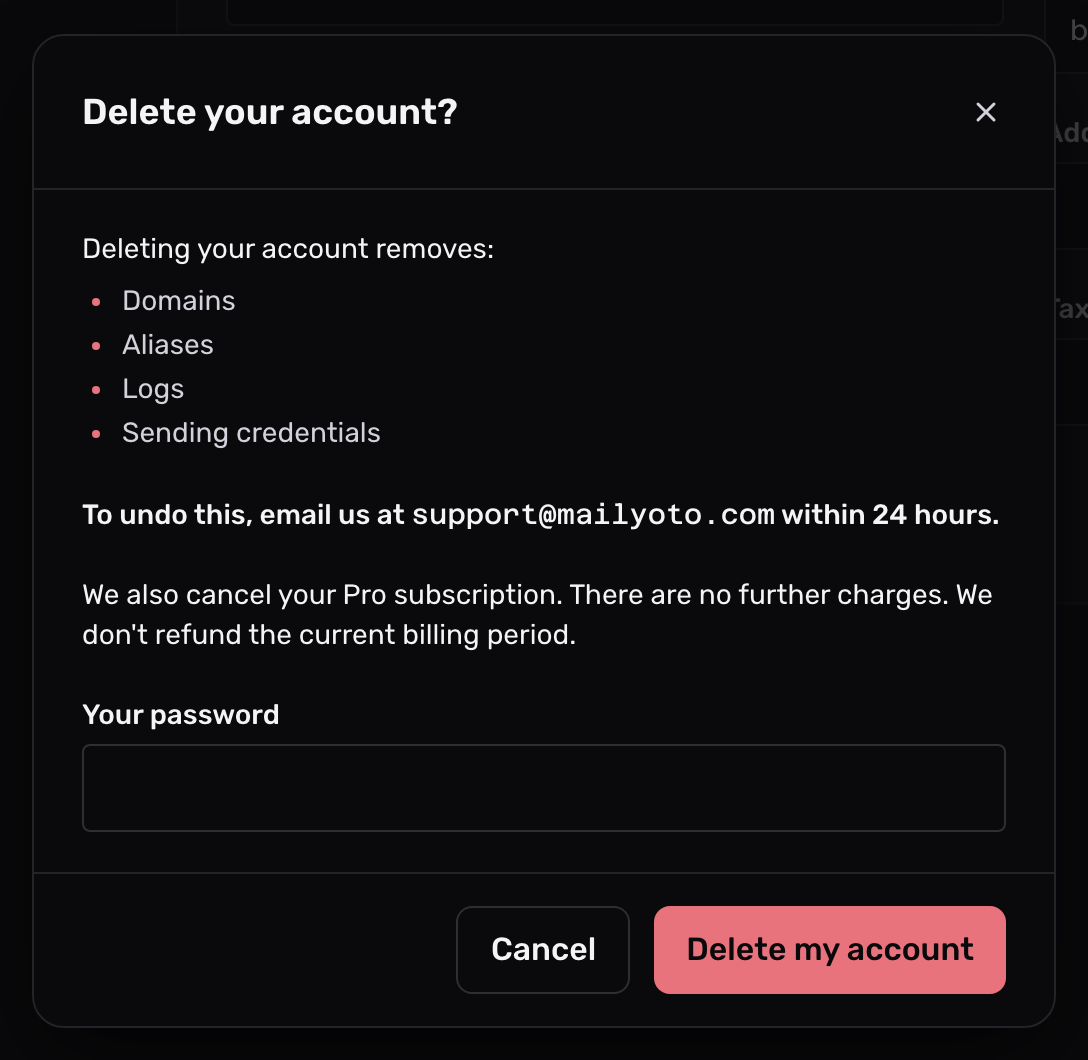
The dialog lists what the delete removes: your domains, aliases, logs and sending credentials.
-
Confirm who you are#
In the dialog, type Your password. If two-factor authentication is on, also type the Two-factor code from your authenticator app.
-
Delete it#
Select Delete my account.
You are signed out, and forwarding stops at once for every domain on the account.
What is deleted#
- every domain on the account
- every alias on those domains
- all logs
- every SMTP credential
A daily job removes the data a day after you delete the account.
Changed your mind#
Write to support@mailyoto.com within 24 hours of the delete to ask for the account to be reopened.
The password or code is refused
Type the password you sign in with. If you sign in only with an email link and never set a password, leave that field empty. For the code, check that your phone sets its clock automatically, then type the code the app shows now.