View account activity
See every sign-in and change on your account, where it came from, and act on one you didn't make.
Updated 27 October 2026
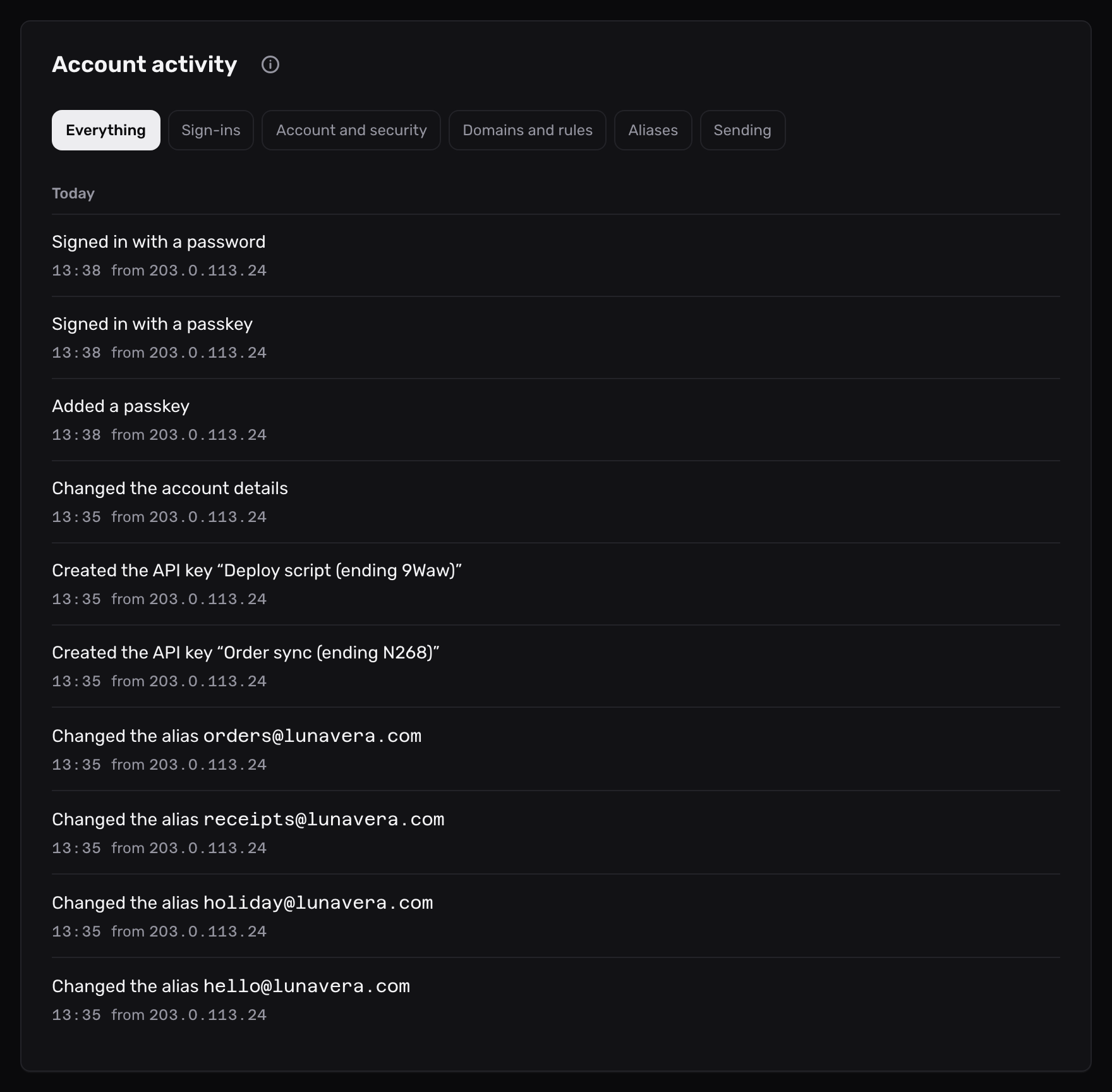
The Account activity card lists every sign-in and change on your account, newest first, grouped by day.
Before you start
- A Mailyoto account on any plan.
-
Open the activity card#
Open Account in the sidebar, then the Activity tab.
-
Read an entry#
Each entry is one sentence that says what happened and what it changed, such as “Created the alias orders@lunavera.com”. Under it are the time, in your time zone, and the IP address the change came from.
Entries sit under a heading for their day: Today, Yesterday, then the date.
-
Show one kind of activity#
Select a chip above the list:
Chip What it shows Everything Every entry Sign-ins Each sign-in and how it was made: password, email link, passkey, Google or GitHub, and the authenticator or recovery code that confirmed it. Devices signed out from the Signed-in devices card Account and security Profile, password, two-factor and passkey changes, linked sign-in providers, and API keys Domains and rules Domains added, removed or changed, cleared logs, webhook signing secrets, and routing rules Aliases Aliases created, changed or deleted Sending SMTP credentials and email templates -
Go further back#
The card shows the latest 50 entries. Select Show older activity under the list to add the next 50, as far back as the account goes.
What Mailyoto records#
Mailyoto records an entry when someone, in the dashboard or through the API, does one of these:
- signs in, by any method
- signs out one device, or every device but the one in use
- changes the password, or turns two-factor authentication on or off
- adds, renames or removes a passkey, or links a Google or GitHub account for signing in
- adds, changes or removes a domain
- creates, changes or deletes an alias or a routing rule
- creates, changes or deletes an SMTP credential or an email template
- creates or revokes an API key
- replaces a domain’s webhook signing secret
- clears a domain’s logs
- changes the account’s profile
Mailyoto also records an entry when another account proves it owns one of your domains and the domain moves to it. That entry has no IP address, because the other account made the change.
A sign-in or change you didn’t make#
An unfamiliar IP address under a sign-in or a change means someone else may have your password or an API key.
- Change your password on the Password card. This signs out every other signed-in device.
- Turn on two-factor authentication.
- On the API keys card, revoke every key you don’t recognise.
- Undo the change. The entry names what it changed.
Your own IP address can change from day to day, especially on mobile data. Check the time against what you were doing.
The card says No activity of this kind
Nothing on the account matches the chip you selected. Select Show everything to see every entry again.