Cancel or resume your subscription
Stop your Pro or Max subscription at the end of the paid period, or resume it before that date.
Pro or Max plan Updated 29 October 2026
Cancelling stops future charges. Your plan keeps working until the end of the period you paid for, and then the account moves to Free.
Before you start
- A Pro or Max subscription.
-
Open the cancel page#
Open Billing in the sidebar, then select Cancel subscription.
Downgrade to Free on the plans page opens the same page.
-
Read what changes#
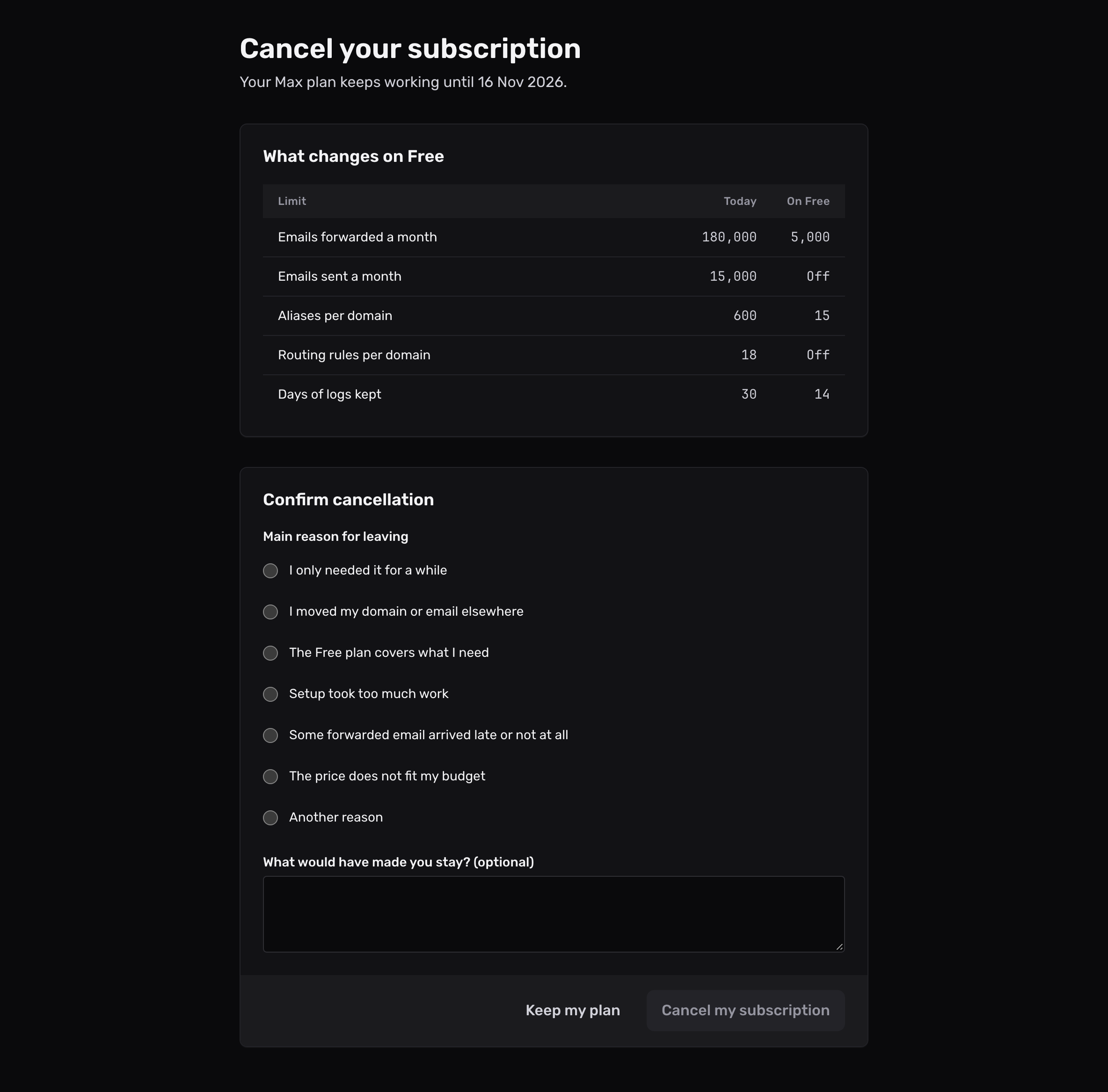
The What changes on Free table lists each limit that drops, with its value today and on Free. Off means Free doesn’t include it, as with sending and routing rules.
-
Give a reason#
Pick one reason under Main reason for leaving.
The question below the reasons is optional.
-
Cancel#
Select Cancel my subscription. Keep my plan takes you back to Billing without cancelling.
The page confirms that there are no further charges and gives the date your plan ends.
Until the end date#
Everything on your plan keeps working. Billing shows the end date and a Keep my subscription button.
When the paid period ends, the account moves to Free. Mailyoto then emails you “Your Mailyoto account is on the Free plan”. If the account has more than Free allows, read what happens after a downgrade.
Resume before the end date#
Open Billing and select Keep my subscription.
The subscription continues unchanged, and it renews on its usual date. The button is there only until the end date. After that, upgrade again from Free.
Refunds#
Cancelling doesn’t refund the current period.
Mailyoto’s refund policy gives a full refund of a charge if you ask within 30 days of it. Write to support@mailyoto.com.
A refund doesn’t cancel the plan. If you want the plan to end, cancel it here as well.
Cancel my subscription can't be selected
Pick a reason under Main reason for leaving first.
The page says it could not cancel your subscription
Try again in a moment.
If it keeps failing, write to support@mailyoto.com.