Upgrade to Pro or Max
Choose Pro or Max, pay on Polar's secure checkout, and get the higher limits and paid features as soon as the payment is confirmed.
Updated 29 October 2026
Upgrading moves your account from Free to Pro or Max. You pay on the checkout of Polar, the company that sells Mailyoto plans as merchant of record.
Before you start
- A confirmed email address. The confirmation link is in the email Mailyoto sent when you signed up.
- A card or other payment method that Polar’s checkout accepts.
The plans#
| Pro | Max | |
|---|---|---|
| Monthly | $5/month | $10/month |
| Yearly | $48/year | $95/year |
| Forwarded emails a month | 60,000 | 180,000 |
| Sent emails a month | 5,000 | 15,000 |
| Domains | 15 | 45 |
| Aliases per domain | 200 | 600 |
| Routing rules per domain | 6 | 18 |
A yearly plan costs at least 20% less than 12 months. Polar adds sales tax or VAT for your country at checkout, on top of these prices.
-
Open the plans#
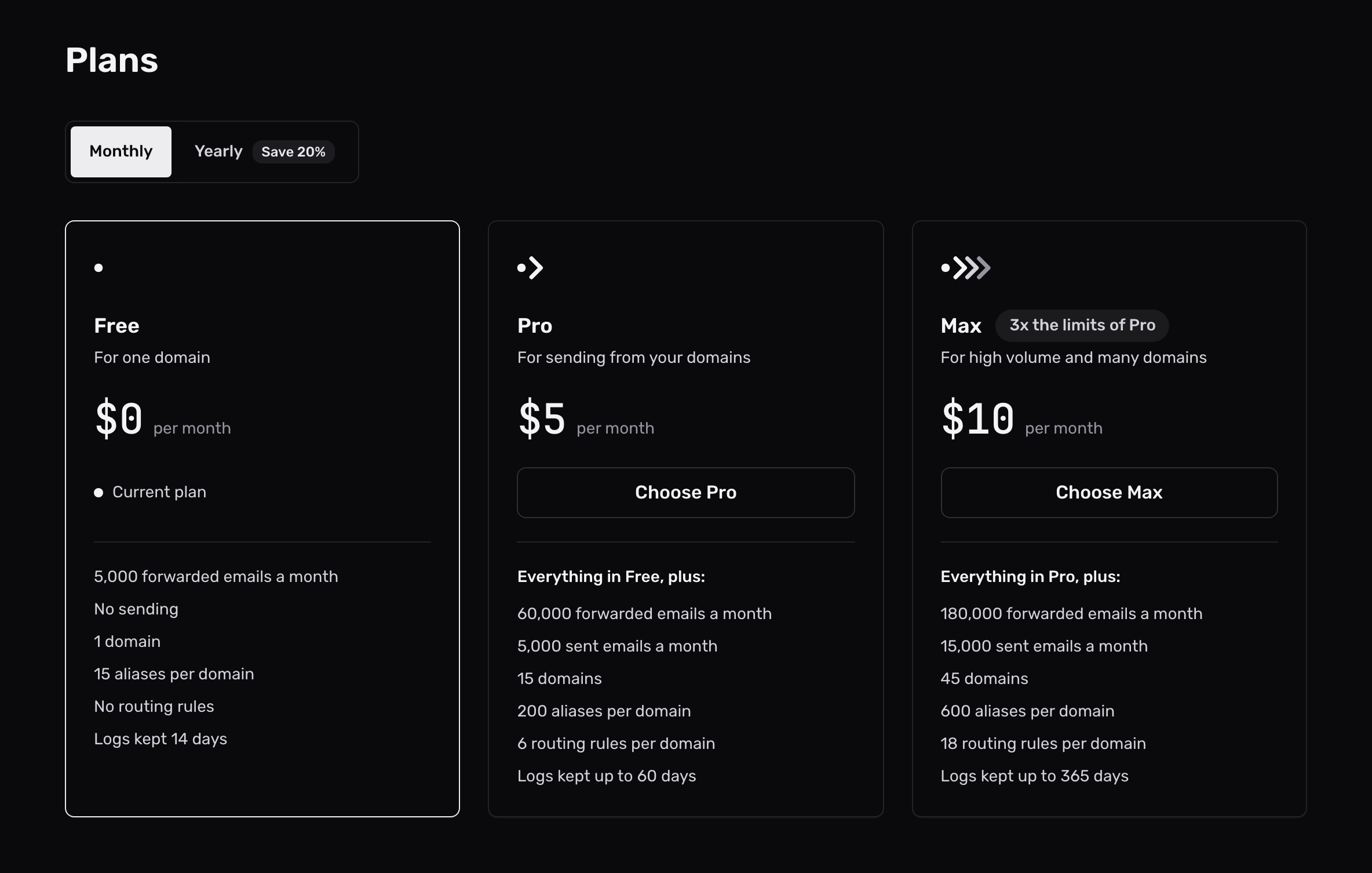
Open Billing in the sidebar, then select See plans.
-
Choose a plan#
Pick Monthly or Yearly, then select Choose Pro or Choose Max.
The next page shows your total, with sales tax or VAT to be added at checkout.
-
Pay on Polar’s checkout#
Select Continue to payment.
Polar’s checkout opens with your billing email filled in. Enter your payment details and billing address there, and a tax ID if you have one. Polar checks the tax ID and works out the tax for your country.
-
Come back to Billing#
Polar sends you back to Billing, where Mailyoto waits for Polar to confirm the payment.
Once it does, the dashboard says you are on the new plan, and the receipt appears under Receipts.
What you get at once#
The new limits apply as soon as the payment is confirmed. On Pro and Max you can also:
- send email from your domain, by SMTP, through the API or with replies from your alias
- route email with rules
- use a webhook as an alias’s destination
- resend a failed email from your logs
- keep logs for up to 60 days on Pro or 365 on Max. Enter the number yourself: see log settings
If a smaller plan had switched some domains or aliases off, they switch back on by themselves, oldest first.
The checkout page asks you to confirm your email first
The message reads “Confirm your email address before upgrading. The link is in your inbox.” Open the confirmation email from Mailyoto, select its link, then start again from See plans.
Billing says Polar hasn't confirmed the payment yet
Polar can take longer than usual to confirm. You can leave the page: the plan changes by itself once Polar confirms. Select Check again to look now.
The upgrade is refused for a locked account
The message reads “We can’t upgrade a locked account.”
Write to support@mailyoto.com to find out why the account is locked.