Send email with the API
Send an email from an address on your domain with one HTTP request, then find it in your logs.
Pro or Max plan Updated 29 October 2026
When you finish, your code sends email from hello@lunavera.com with one POST request, and you can follow each message in your logs.
Before you start
- A Pro or Max plan. Free accounts can’t send.
- An API key.
- The domain’s Sending pill ticked. Mailyoto ticks it once the SPF record and both DKIM records verify and the domain has at least 1 SMTP credential.
-
Check that the domain can send#
Open the domain and look at the pills at the top. Sending needs a tick.
If it has a cross, open the DNS tab and add the records in the Sending table. Then open the Sending tab and create a credential with Create credential, even if you will only use the API.
-
Send the request#
Post a JSON body to the domain’s
outboundendpoint.fromis an address on that domain, andnameis the display name recipients see beside it.curl -X POST https://api.mailyoto.com/v1/domains/lunavera.com/outbound \ -H "Authorization: Bearer $MYO_API_KEY" \ -H "Content-Type: application/json" \ -d '{ "from": { "email": "hello@lunavera.com", "name": "Luna Vera" }, "to": [{ "email": "diego.r.santos@outlook.com", "name": "Diego Santos" }], "subject": "Your booking is confirmed", "text_body": "Hello Diego, we have your booking." }'The Sending tab has an example request to copy under Send with the API, with your domain filled in. Replace
$API_KEYin it with your key.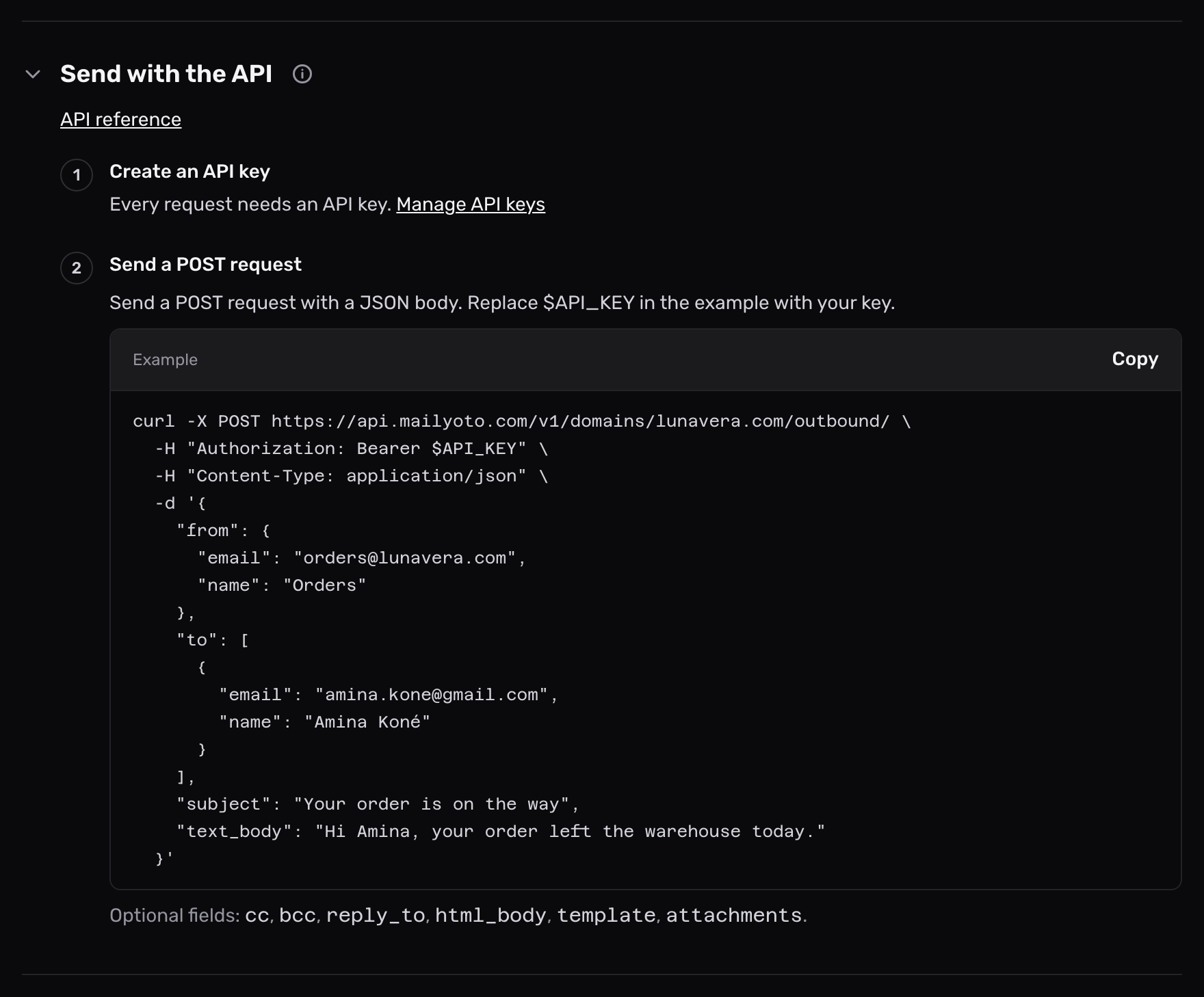
-
Read the response#
Mailyoto returns
202once the message is queued:{ "log_id": "log_01m5ph8w3c6n0t2e7k9r4q5yzb", "message_id": "<176248359512.42.9182734650@lunavera.com>", "status": "accepted", "recipients": ["diego.r.santos@outlook.com"] }log_idfinds the message in your logs.message_idis theMessage-IDheader the recipient’s server sees.recipientslists every address that gets a copy, each once. -
Find it in your logs#
Open Logs, set Type to Sent by API, and search for the
log_id. The entry shows whether the recipient’s server accepted the message.
Fields you can send#
| Field | Use |
|---|---|
from | Required. An object with email, an address on the domain in the URL, and an optional name. |
to, cc, bcc | Lists of objects with email and an optional name. Send at least 1 recipient across all 3. |
reply_to | Optional. One object with email and an optional name, for the Reply-To header. |
subject | Required, unless a template supplies it. |
text_body, html_body | At least 1. Send both and mail apps show the one they prefer. |
template | Send a saved email template instead of text_body and html_body: name, plus data for its placeholders. |
attachments | Optional. Up to 20 files, and the whole email up to 20 MB once encoded. |
metadata | Optional. Your own references, such as an order id, as text values, up to 2048 bytes. The email’s log entry keeps them. Search the logs for one to find the email. |
bcc addresses get the message without appearing in its headers.
An address listed twice, in to and bcc for example, gets one copy.
The endpoint refuses any field it doesn’t accept, and names it. A misspelt field never goes unnoticed.
The API reference lists every field and attachment option.
Responses#
| Status | Meaning |
|---|---|
202 | Queued. The response holds log_id, message_id, status and recipients. |
400 | A field is missing or unusable. errors[0].field names it, for example to[1].email. |
402 | The email is over one of the account’s sending limits: 50 recipients, 20 files, 20 MB or 2048 bytes of metadata. limit says which. |
403 | The plan can’t send, or the domain’s sending records are missing. |
404 | The domain isn’t on this account, or the template doesn’t exist. |
409 | Mailyoto is still sending the first request with this Idempotency-Key. Retry a few seconds later. |
422 | The Idempotency-Key already belongs to a different email. |
429 | The key used its requests faster than they come back. See API request quota. |
500 | Mailyoto couldn’t queue the message. Nothing was sent. You can retry. |
To retry without the risk of sending twice, give each email an Idempotency-Key header with your own id, such as a UUID.
For 48 hours, a repeat with the same key returns the first 202 and sends nothing.
Each plan’s monthly sending allowance is on Plan limits.
403: Sending through the API is available on the Pro and Max plans
The account is on Free. Choose Pro or Max under Billing, then send again.
403: This domain cannot send yet
The domain’s Sending pill has a cross. Add the records in the Sending table on the DNS tab, check that the domain has at least 1 SMTP credential, then select Check DNS.
400: Send from an address on lunavera.com
from.email is on another domain. Send from an address on the domain in the URL, or post to that domain’s URL instead.
400: an attachment has a blocked file type
Mailyoto refuses program and script files, such as .exe and .js. Remove the file, or send a link to it instead. The full list is in Attachments.